
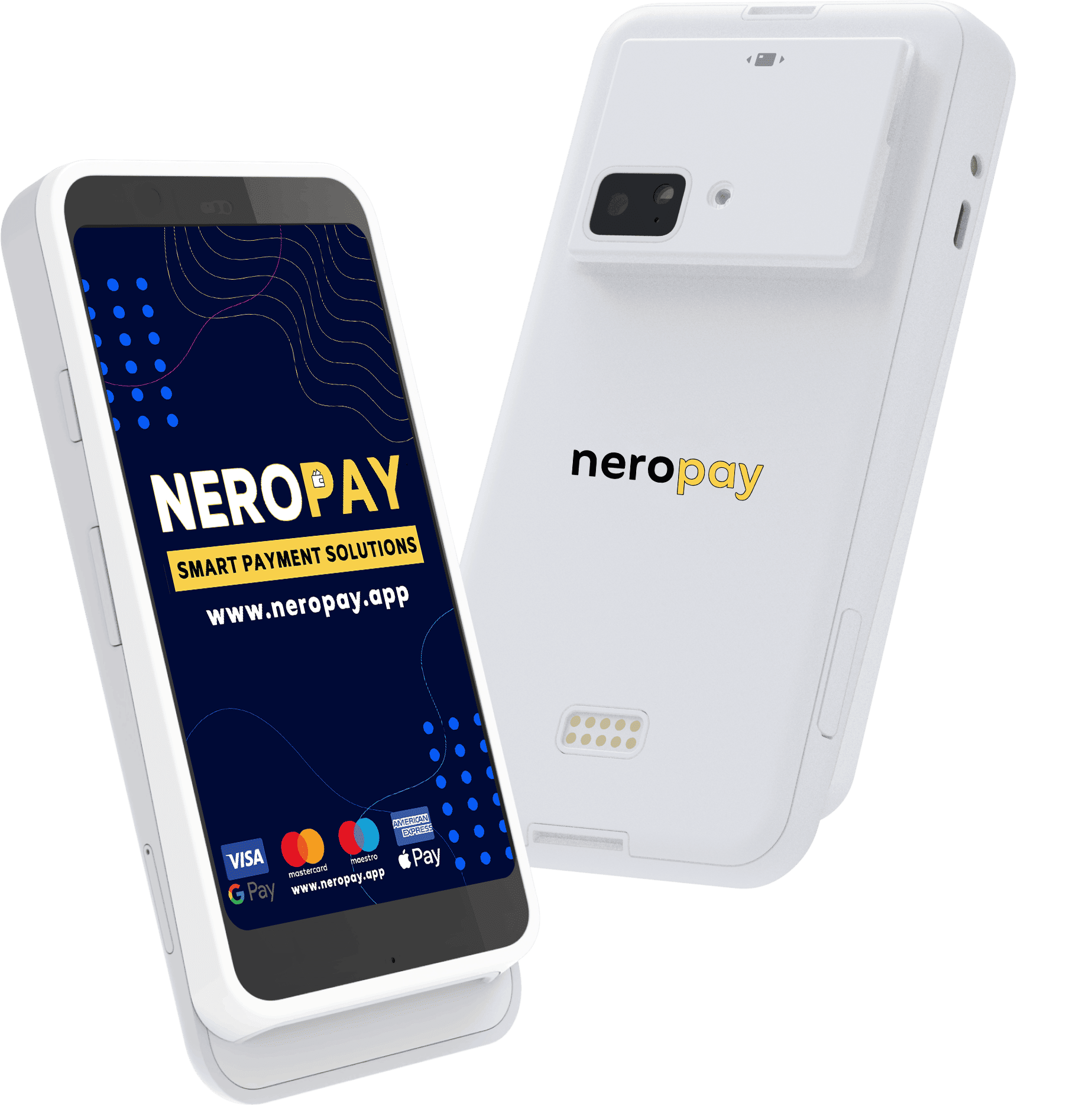

NeroPay Flex
Take the payment to your customer. A handheld card machine with a touchscreen and built-in receipt printer.
- Touchscreen
- Built-in printer
- Wi-Fi & 4G
Card payments & point of sale
Take payments at the counter, at the table or on the move. Bring your sales, online orders and bookings together with NeroPay.
Free NeroPOS. Free NeroWeb. Free NeroBooking. Software included with an eligible NeroPay card terminal. Hardware and payment processing charges apply.
At your counter. Across your business.

Find your fit
From a handheld terminal to a full till setup, choose equipment that works where your customers are.
Take the payment to your customer. A handheld card machine with a touchscreen and built-in receipt printer.

A larger screen for your counter. Bring product selection, checkout and card payments onto one device.
A proper point of sale for busy days. Keep your products, orders and payments together at the till.
Already have a setup? Tell us what you use and what you want to improve.
Help me chooseMore than a card machine
Your terminal is just the start. Explore the software that helps you take orders, serve customers and keep things organised.
Your point of sale: products, tables, orders, receipts and reports.
Free NeroWebINCLUDEDYour online presence: a website for your business and customer orders.
Free NeroBookingINCLUDEDYour diary: reservations and appointments, all in one place.
No monthly software subscription for these three core tools with an eligible NeroPay card terminal. Hardware, payment processing and optional paid add-ons are charged separately.
Build the order, manage your tables and send it to the kitchen. Keep the front of house and the back of house working from the same setup.
Give customers a direct route to your menu, products and checkout. Bring online ordering alongside the way you already serve in person.
Choose your date and preferred time.
Let customers book a visit while you focus on the people in front of you. Keep availability and reservations in one place.

Customers browse your products, make their selections and place an order. Your team receives the order in NeroPOS.
NeroPOS, NeroWeb and NeroBooking software are included with an eligible NeroPay card terminal. Self Kiosk is part of NeroPOS. Hardware, payment processing and optional paid services are separate. See your quote for the products and terms included.
Meet AI Reception
A receptionist for calls and WhatsApp. Help with everyday questions, orders and bookings, with your team involved when it matters.
Give your reception the business information customers ask for most, from opening hours to the services you offer.
Illustrative conversation. Responses depend on your setup and connected services.
Help customers with menu questions and order details through your configured ordering integration.
Illustrative conversation. Responses depend on your setup and connected services.
Help customers find a time and capture the details you need for a reservation or appointment.
Illustrative conversation. Responses depend on your setup and connected services.
Some conversations need your team. Set up human transfers or callback requests so customers have a route to the right person.
Illustrative conversation. Responses depend on your setup and connected services.
AI Reception is an optional service. Configure your business information, channels and integrations before use.
Discover AI ReceptionBuilt around your working day
Start with what you need today. Connect more of your business as it grows.
Take an order at the till, send it to the kitchen and bring the card machine to the table.
Keep products organised, take card payments and review sales when the shop closes.
Manage the diary and take payment after a visit. Add AI Reception for booking enquiries.
Take payments at reception or share a payment link when your customer is elsewhere.
A closer look
Take a look at the products behind the payment. Then explore more demonstrations and walkthroughs on our YouTube channel.
Watch more NeroPay videos“Quick and simple to use”
“Easy and clear to use. Fast and effective.”
“Perfect service”
Selected excerpts from public reviews. Ratings and review counts can change; visit Trustpilot for the current score and complete reviews.
For the next stage of business
Explore funding for your next step and business money tools that sit alongside your payments.
Explore a merchant cash advance for your business. Eligible merchants can review an offer, its cost and repayment terms before deciding.
Manage your available business balance, transfers and business cards from NeroPay. Bring more of your everyday money management into one account.
Funding is subject to eligibility, assessment and provider terms; approval is not guaranteed. NeroBusiness features and availability depend on verification, country and plan. Regulated payment services are provided by authorised partners; see the relevant product terms.
Beyond the counter
Get to your NeroPay account from your browser or the NeroPay app. Review activity, manage your tools and stay on top of the next job.
For iPhone, iPad and Android devices.
Review payments, sales and reports from your NeroPay dashboard.
Share a payment link or customer invoice when someone isn't at your counter.
Access your account on your phone, tablet or computer, with permissions for your team.
Thinking of switching?
Tell us how you take payments today. We'll help you understand your options and the costs in your quote.
Explore pricingYour business, your current setup and the way your customers pay.
Compare hardware, processing rates and any optional services.
Complete account verification, set up your products and get ready to take payments.
Before you decide
Not sure which setup is right? Tell us about your business and we'll help you choose.
Speak to the NeroPay teamNeroPay brings together card machines, payment services and business software. You can take payments in person and online, run your point of sale, receive online orders and manage bookings through the products you activate.
NeroPOS, NeroWeb and NeroBooking software are included with an eligible NeroPay card terminal. Hardware, payment processing and optional paid services are separate. Your quote sets out the products, charges and terms that apply to your setup.
Yes. There are setups for retail, hospitality and service businesses. Your product catalogue, bookings, orders and hardware can be configured around how you work. Tell us what your team needs so we can help you choose the right combination.
Self Kiosk lets customers browse your catalogue and place orders into NeroPOS. Card payments use a paired terminal. Dedicated kiosk hardware and compatible Terminal Max setups are available separately.
AI Reception helps with calls and WhatsApp conversations using your business information. It can help with questions, order and booking workflows, and human handover or callback requests. Features depend on your configured channels and integrations. It is an optional service with its own pricing.
Costs depend on your hardware, payment requirements and chosen services. Request a tailored quote to see the processing rates, hardware costs and any optional charges together before you decide.
Start with a quote or create a NeroPay account. You'll need to complete the relevant business and identity checks before taking live payments. Our setup guides help you get your hardware and software ready.
Card machines, ePOS and connected software. Tell us what you need and take the next step with NeroPay.