

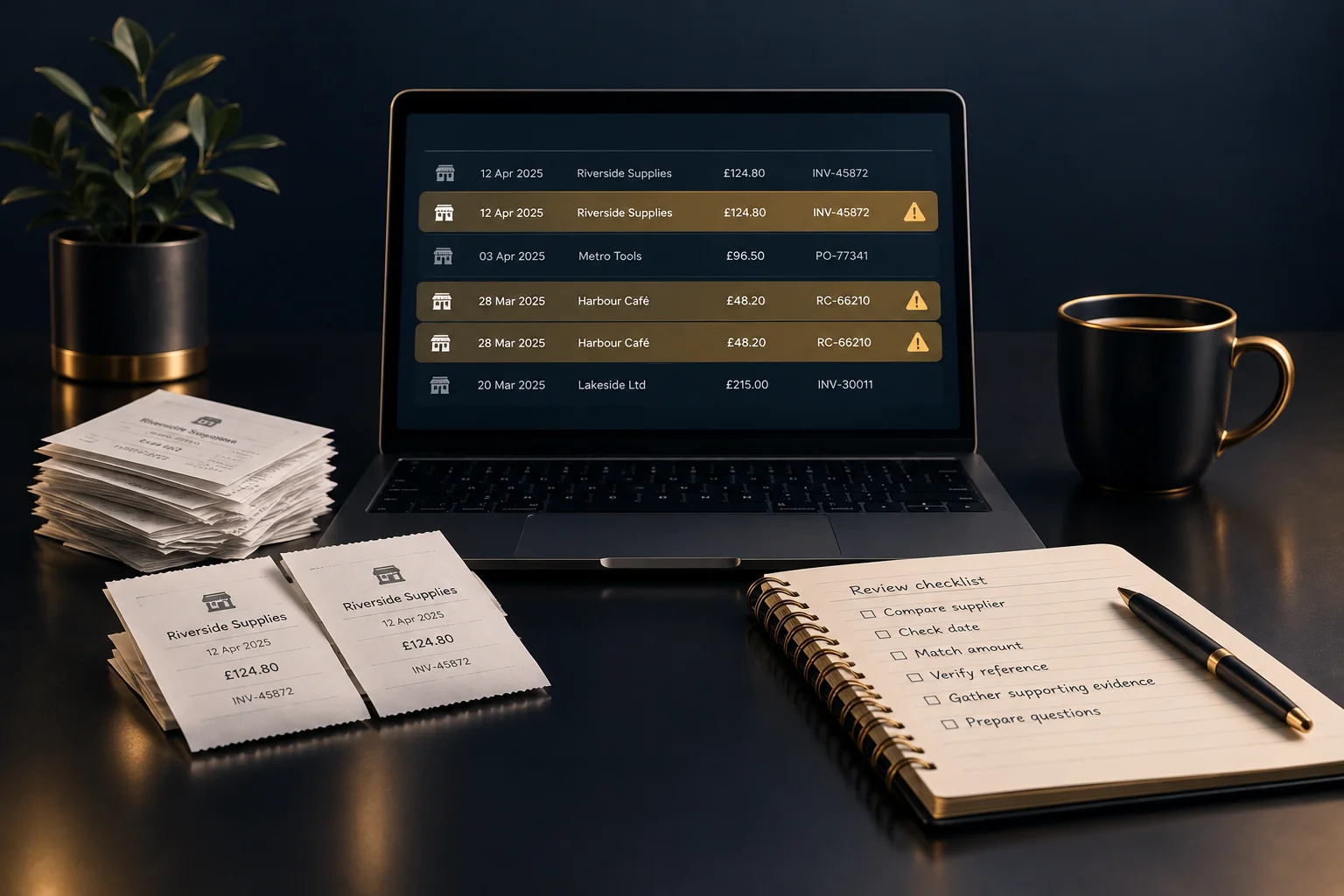
Start with the symptom and define your search
A repeated supplier charge, an unexpectedly high expense total or two entries backed by similar receipts can all justify a closer look. None proves duplication. Start with the records behind the symptom rather than making changes across the whole period.
Set a clear review boundary: the period, supplier or batch of records concerned. NeroBooks provides bookkeeping tools for business records, income, expenses, receipts and reports. Check which viewing, searching or sorting options are available in your current account before relying on a particular workflow. A separate review list can help organise questions without altering the underlying records.
- Note what triggered the concern and which records it affects.
- Gather the relevant entries and supporting documents.
- Give each suspected pair an identifier in your review list.
Compare four details before calling it a duplicate
Check supplier, date, amount and reference side by side. Supplier names may differ slightly between an invoice and a receipt, so compare the documents rather than relying on the name alone. Dates also need context: a purchase date, invoice date and payment date can differ without indicating separate expenses.
An identical amount is a clue, not a verdict. Regular subscriptions, repeat orders and standard delivery charges can produce genuine matches. A shared invoice reference strengthens the case for investigation, but confirm that it identifies the transaction rather than a customer account or order covering several documents.
- Compare the supplier details and what was purchased.
- Identify what each date represents.
- Check that amounts are being compared on the same basis.
- Match transaction-specific references against the original documents.
If the entries still match, follow the evidence
Work out whether you have two records of one expense, two genuine expenses or different documents relating to the same purchase. An invoice and its payment confirmation are not automatically evidence of two purchases. Equally, two receipts with the same total may relate to separate orders.
Hypothetical example: an office team finds two £84 stationery entries for the same supplier, dated one day apart. One has invoice reference ST-214; the other has no reference and is supported by a card receipt. Both documents show the same order details. The team records a suspected duplicate and asks the bookkeeper to confirm how the entries should be handled. If the documents instead showed two different orders, both entries could be valid.
- Read the line items or purchase description, not just the total.
- Check whether the documents describe one purchase or separate purchases.
- Record what supports your conclusion and what remains uncertain.
Escalate uncertainty without losing the trail
Do not silently delete a record because it looks repetitive. Preserve the supporting evidence and use your review list to distinguish suspected duplicates, explained matches and unresolved cases. If your account has a suitable way to mark records for review, verify how it works before using it; otherwise keep the questions separately.
Send your bookkeeper a focused query containing both record identifiers, the four comparison details, the supporting documents and your reason for concern. Where evidence is missing, ask the person who submitted the expense for clarification first. If the uncertainty concerns how the software behaves, seek help through the support route available for your account rather than testing changes on live records.
- Assign an owner to obtain missing information.
- Ask a specific question rather than simply labelling an entry wrong.
- Agree any correction with the person responsible for the books.
- Record the decision and its supporting explanation.
Check that the review has actually resolved the problem
Success is not simply a lower expense total. Every suspected pair should have an explainable outcome: separate valid purchases, a confirmed duplicate handled appropriately, or an open question with an owner. After agreed corrections, revisit the affected records and relevant report to check that the result matches the decision.
Use repeated findings to improve handovers. If staff regularly submit both an invoice and a receipt for one purchase, ask them to identify the relationship clearly. Your next action is to prepare one review list for the affected period, attach or locate the evidence and arrange a short discussion with your bookkeeper about unresolved items.
GOOD TO KNOW
Common questions
Are two expenses with the same amount always duplicates?
No. Repeat purchases and recurring charges can have identical totals. Compare the supplier, dates, references and purchase details before drawing a conclusion.
What if an expense has no reference?
Use the receipt, purchase description and other available evidence to investigate. Ask the submitter for clarification and leave the item unresolved if the evidence is insufficient.
Does NeroBooks automatically find duplicate expenses?
Do not assume automatic duplicate detection is available. Check the features in your current account and use a documented comparison process where needed.
Should we delete a suspected duplicate before the review?
No. Preserve the evidence, flag the concern and agree the appropriate action with your bookkeeper or the person responsible for the records.