

Kaartmaschinnen.
Gemaach fir Äre
Arbechtsdag.
Um Zëschter, um Dësch oder ronderëm Är Lokalitéit. Huelt perséinlech Kaartbezuelungen mat engem NeroPay Terminal un a halt d'Bild vum alldeegleche Geschäft verbonnen.
Hardware a Bezuelungsveraarbechtung goufen getrennt verrechent. Kontokonditiounen an Äre verhandelten Tariffer gëllen.

Gëtt de Clienten vertraut Bezuelméiglechkeeten.
Trefft Ären nächsten
Kaartmaschinn.
Ufank mam Service fir Är Clienten. Mir hëllefen Iech den Terminal, d’Verbindung a Software passend ze wielen.
Gitt de Betrag an, weist den Terminal vir a loosst Äre Client bezuelen.
Benotzt Äre konfiguréiert Dëschservice-Flux fir Bestellung oder Bezuelung ze maachen.
Hëllt d'Bezuellung un, dréckt d'Quittung a gitt se Ärem Client.
NeroPay Flex Terminal
Eng handhalbar Terminal. E fest agebaute Quittungsdrocker. Akzeptéiert Bezuelungen um Kassettechniker oder ronderëm Är Lokalitéiten a gitt da är Clienten eng gedréckte Quittung.
Kuckt no verfügbaren Optiounen am NeroPay Store. Konnektivitéit hänkt vun Ärer Astellung a Netzofdeckung of.

Hält Ären agestallte NeroPOS Kassiervorgang an Bezuelungsprozess zesummen.
Weist d'agestallte Menü, baut de Wuerschachtel a fäerdeg déi Kassi.
Bitt konfiguréiert Zeechnen oder Spiller un, während d'Gäscht op hir Bestellung waarden.
NeroPay Terminal Max
E 8-Zoll Touchscreen fir méi Méiglechkeeten ze déngen. Benotzt NeroPOS um Checkout, bitt eng clientfäeg Thek oder léisst d’Gäscht selwer bestellen a bezuelen.
Hardware a fäerdeggestallten Software-Funktiounen hänken vun Ärer gewielter Astellungen of. Kuckt aktuell Optiounen am NeroPay Store.
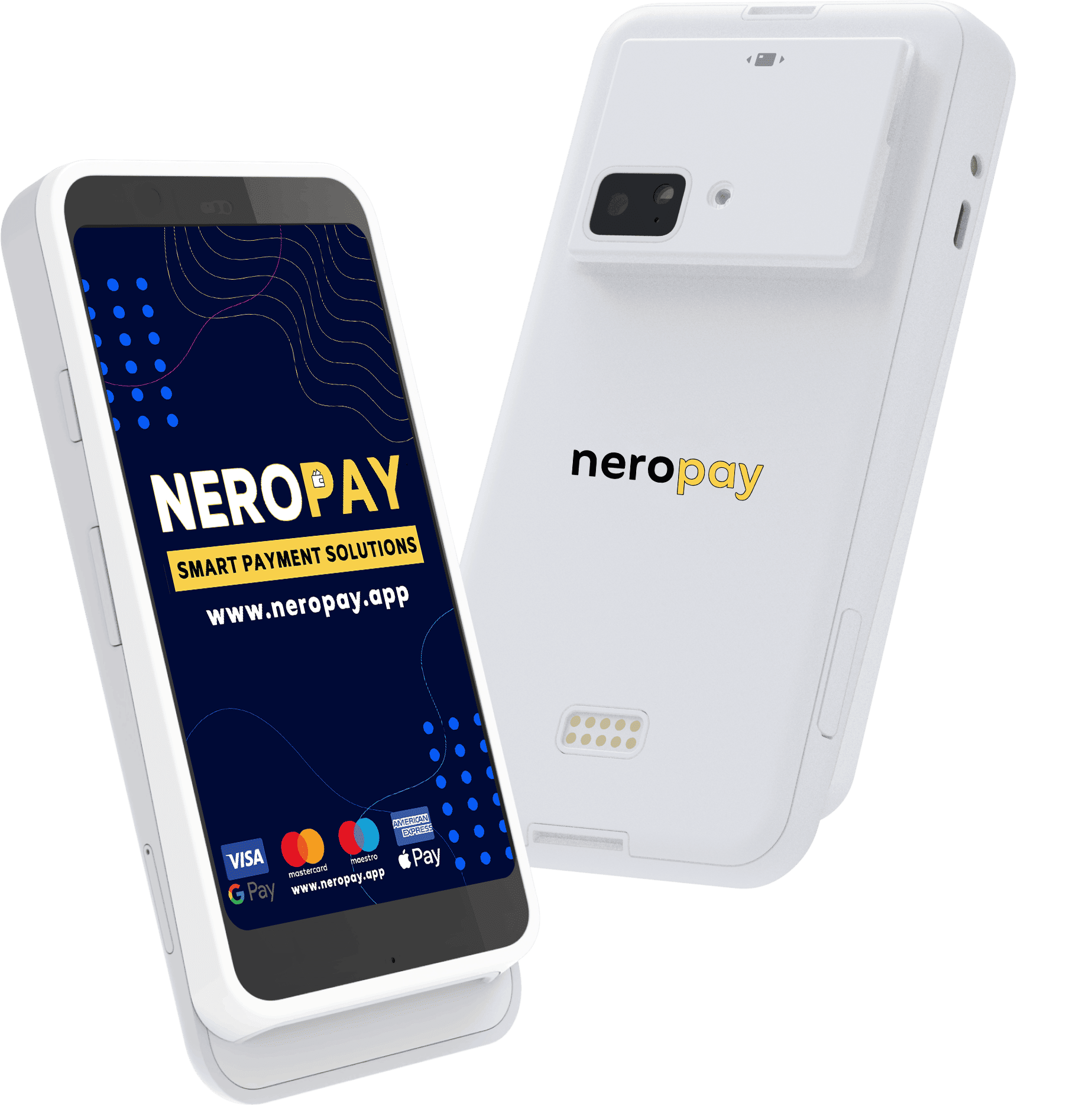
Kaartterminal PRO+
Eng dedizéiert Android Kaartterminal fir Butteker, Gastrofirme an Déngscht-Equipeen, déi eng kloer, clientfrëndlech Bezuelbildschierm wëllen.
Entdeckt disponibel Konfiguratioune an Bezueloptiounen am NeroPay Buttek.
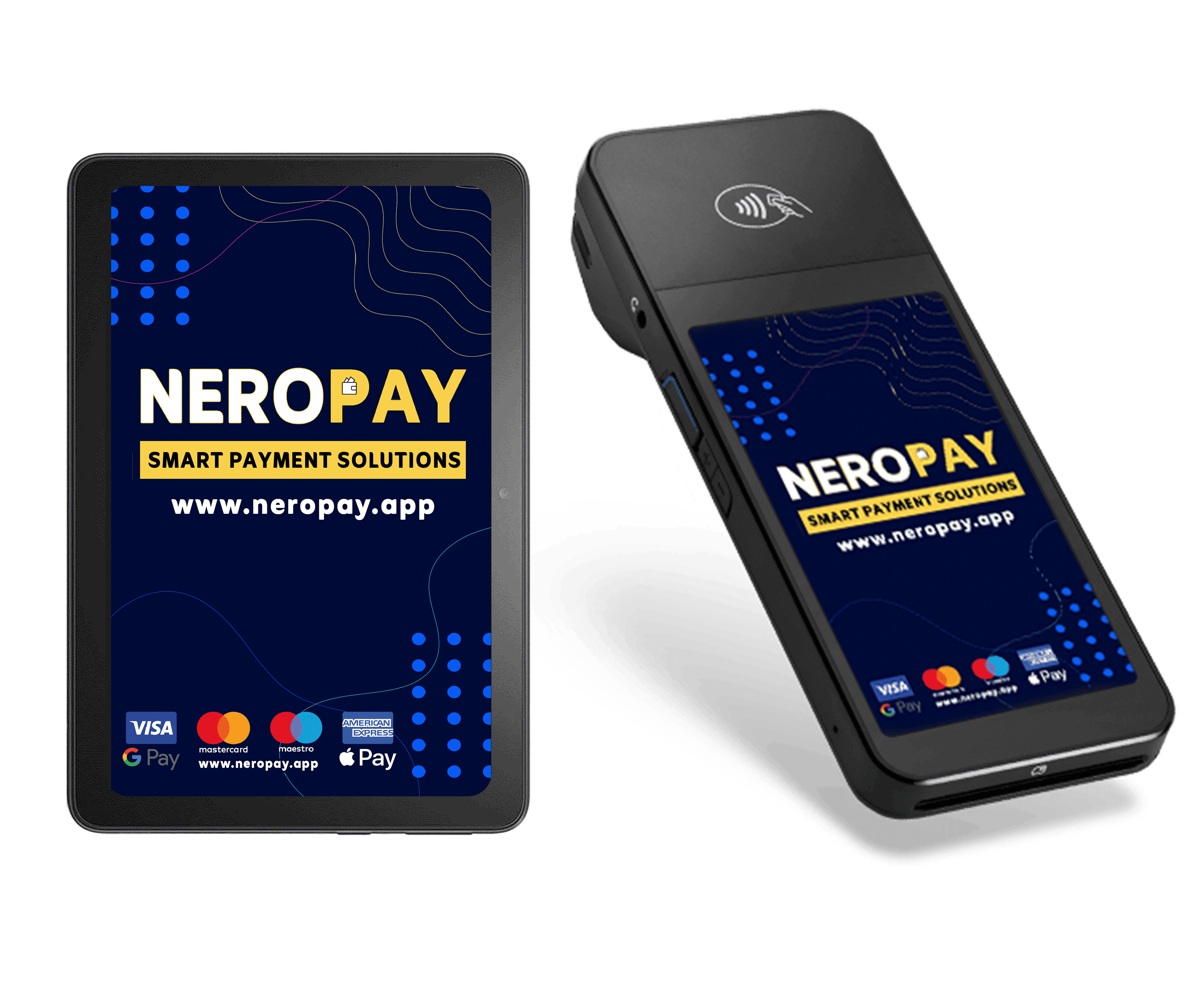
Kaartterminal CCD
Eng dedizéiert Bezuelapperat fir Ären Dësch, mat enger optionaler Tablett fir eng méi breet In-Store-Astellunge.
Déi gewisen Tablett ass optional a separat verfügbar. Wielt Är Astellunge am Buttek.
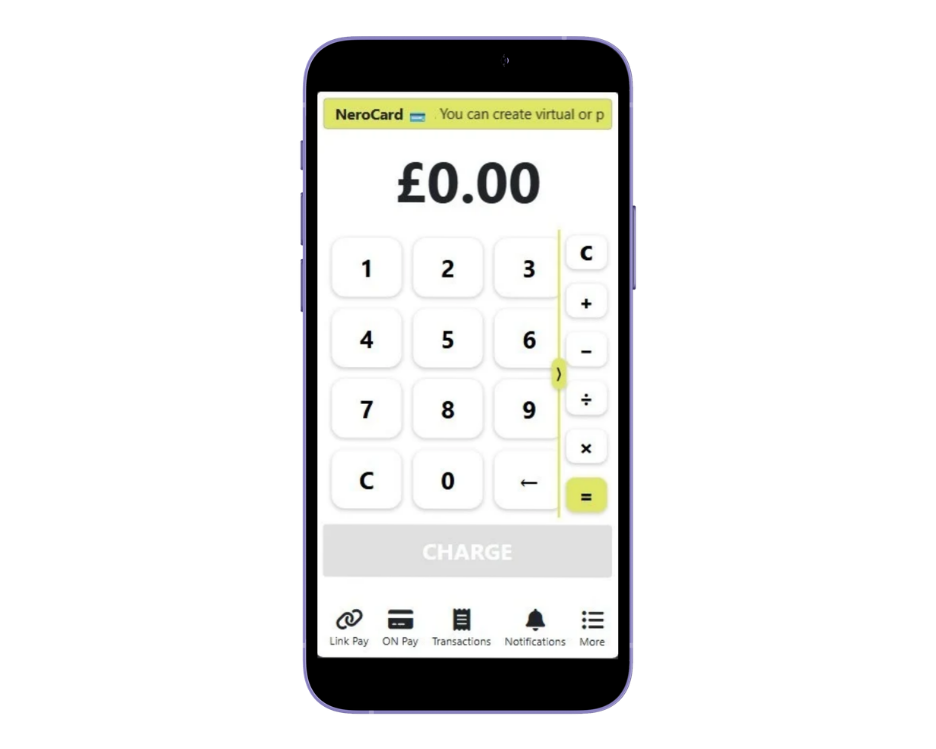
Tippen fir op Handy ze bezuelen
Akzeptéiert kontaktlos Kaart- an Portmonnëbezuelungen mat engem kompatiblen Telefon. Praktesch fir mobilen Déngscht, Pop-ups an méi kleng Equipeen.
Ënnerstëtzte Apparat an Kont erfuerderlech. Veraarbechtungsfraise ginn applizéiert.
Wielt d’Bezueloptioun, déi Ärem Geschäft passt. Entdeckt Bezuelungen an ausgewielte Paiementsplangoptiounen am NeroPay Buttek. Är Gesamtbestellung, Liwwerkäschten a béid Zäitplang fir Bezuelungen ginn beim Checkout bestätegt.
Entdeckt NeroPay Bezuelungen an Geschäfts-Tools.
Konzentéiert Iech weider
op Ären Client.
Är Bezuelungsarrangement soll ënnerstëtzen, wéi Dir schafft, ob Dir elo eng Iessensschlaang bedient, e Coupe fäerdeg mécht oder eng Dësch ofschléist.
- Bekannt Bezuelmethoden. Akzeptéiert ënnerstëtzter Kaarten a mobilen Portemonnaien.
- Apparater, déi passen. Wielt e portablen Terminal, eng Keesplaz oder kompatibelt Tap to Pay.
- Verbannen deeglech Reporten. Iwwerpréift Bezuelungsaktivitéit vun Ärem Händlerkonto aus.
- Plaz fir Entwécklung. Füügt POS, online Bestellung an Buchtungsinstrumenter dobäi wéi Äert Geschäft et brauch.
Eng Plattform.
Verschidde Aarbechtsdeeg.
Eng hëllefräich Opstellung fänkt mat Ärem Raum, Ärem Team an der Manéier wéi Clienten bezuelen un.
Restaurants & Cafés
Bréngt d'Bezuelung um Dësch oder haalt d'Kees placéiert an d'Ugrëff. Verbind Äre Setup mat NeroPOS, online Bestellung a Kachenspiller.
Geschäfter & Retail
Schafe eng kloer Checkout Plaz mat engem dedizéierte Kaartenterminal, POS Apparater a kompatiblen Scanneren, Drécker an Geldschäiner.
Schéinheets & Servicer
Huelt Bezuelungen um Enn vun enger Rendezvous an halt Buchtungen zesumme mat Ärem Geschäft am Aklang. Benotzt kompatibel mobil Optiounen wann Dir wäit ewech vum Kees schafft.
D'Tools fir Äert Geschäft ze féieren.
Kee weider Software-Rechnung.
Verbannen Bezuelungen mat fräie NeroPOS, NeroWeb an NeroBooking Software. Hardware an d'Veraarbechtung vun de Bezuelunge ginn separat berechent.
NeroPOS
Produkter, Dëschplazen, Personalzougang, Reschtbrecher an deeglech Berichter. Bréngt d'Basis vum Ärem Comptoir an eng eenzeg verbonne Verkafsplaz zesummen.
Entdeckt NeroPOS →NeroWeb
Gitt Clienten eng direkt Manéier fir direkt bei Ärem Geschäft ze bestellen. Erstellt eng online Bestell-Säit fir Ofhuelung oder Liwwerung.
Entdeckt NeroWeb →NeroBooking
Organiséiert Reservatiounen a Rendezvouser nieft Ärer Bezuelungsopstellung, fir Hotellerie-, Schéinheets- an Déngschtleistungsbetriber.
Entdeckt NeroBooking →Maacht Iech prett mat
eng kloer Opstellungsplang.
Wielt Äert Hardware, kompletéiert Är Kontpréiwe a gitt sécher, dass Äre Lieser ageschriwwen ass ier Dir Bezuelungen akzeptéiert.
Wielt Är Astellung
Bestellt Ären Terminal oder froe fräi Är Equipe, wéi Apparat am Beschten fir Äert Geschäft a Bezuelungsbedierfnesser passt.
Kompletéieren d'Verifizéierung
Erstellt Äre Händlerkonto a gitt d'Geschäftsinformatiounen an Dokumenter déi gefrot ginn un.
Registréiert Äre Lieser
Connectéiert Äre Apparat a follegt d'Instruktioune fir d'Lieser-Setup an Ärem NeroPay Kont.
Ufänken Bezuelungen ze huelen
Präift ob Är Astellung fäerdeg ass, weisen Ärer Equipe de Bezuelungsprozess a iwwerpréift Är Transaktiounen am Dashboard.
Loosst eis déi
richteg Léisung fannen.
Braucht Dir gedréckte Reçetten, e portablen Apparat oder eng komplett Këschtesetting? Sot eis Äre Betrib seng Besoinen.
Frot eis Equipe →Wéi eng NeroPay Terminal kann eng Reçett drécken?
NeroPay Flex huet en agebaute Reçettendrocker, sou datt Dir eng gedréckte Reçett vum Handapparat un Äre Client kënnt ubidden. Aner Astellungen benotze méiglecherweis separat kompatibel Reçettendrocker.
Kann ech Apple Pay a Google Pay unhuelen?
Jo. Kompatibel NeroPay Terminaler akzeptéieren ënnerstetzte kontaktlos Wallet-Bezuelungen, doranner Apple Pay a Google Pay, zesumme mat ënnerstëtzte Debit- a Kredittkaarten.
Hutt NeroPay Flex mobil Konnektivitéit?
NeroPay Flex ënnerstëtzt Wi-Fi, Ethernet, 4G Cellular an Bluetooth Konnektivitéit. Disponibel Verbindunge hänken vum Apparat-Setup, all néideg Accessoiren a Netzofdeckung of.
Kann ech den Terminal benotzen ier ech en registréieren?
Nee. Äre Händlerkonto muss fäerdeg sinn fir Bezuelungen unzehuelen an den Lieser muss registréiert sinn a mat dem richtege NeroPay Kont verbonne sinn. Befollegt d'Setup-Anleet virun der Start vun enger Transaktioun.
Kann ech Bezuelungen mat engem POS-System verbannen?
NeroPay bitt NeroPOS a Integratiounsoptiounen un. D'Kompatibilitéit hänkt vum POS-System a Verbindungsmethod of, also kontrolléiert w.e.g. är geplangten Opstellung mat eisem Team virum Kaf vum Hardware.
Wéini kréien ech meng Ausbezuelungen?
D'Verfügbarkeet vun Ausbezuelungsoptiounen a Bezuelungszäiten hänkt vun Ärem Händlerkont, Verifizéierungsstatus an der Bezuelungsaktivitéit of. Kuckt d'Optiounen an Ärem Kont no; individuell Bezuelungen kënnen och iwwerpréift ginn.
Muss ech en getrennte Terminal kafen?
Net ëmmer. Tap to Pay erlaabt berechtegten Händler kontaktlos Bezuelungen op ënnerstetzte Handyen unzehuelen. Kontrolléiert d'Kompatibilitéit vun Ärem Apparat an Ärem Kont ier Dir dës Optioun wielt.
Terminal Max an Äre Service
Kann ech Terminal Max fir Selbstbestellung um Comptoir benotzen?
Jo. Mat der ënnerstëtzter Selwer-Bestellung aktivéiert kënne Clienten d'Menü duerchblécken, eng Bestellung maachen an um Comptoir bezuelen. Konfguréieren déi Bestell- an Bezuelméiglechkeeten fir Äre Betrib virum Gebrauch.
Kann Terminal Max um Dësch benotzt ginn oder als NeroPOS um Kees?
Terminal Max kann Dëschbestellungen an d'Bezuele ënnerstëtzen oder als NeroPOS Kees benotzt ginn. D'Verfügbarkeetsmodi hänke vun den Apps, Kontfunktiounen a Setup of, déi fir Äre Betrib aktivéiert sinn.
Wat ass de Ënnerscheed tëscht Flex a Terminal Max?
Flex bitt en handgehalen 5.5-Zoll Touchscreen mat engem abauen Empfangsdrocker. Terminal Max huet en 8-Zoll Display fir eng méi grouss NeroPOS, Client-gepaart oder Selwer-Bestellungserfarung. Kuckt déi aktuell Hardwareoptiounen am NeroPay Store.
Fannt den Kaartterminal
den Äer Geschäfts verdéngt.
Entdeckt NeroPay Flex, PRO+, CCD a verbonne Këschten-Setups. Wielt Ären Apparat a komplettéiert Är Bestellung am Buttek.