

Kart makineleri.
Sizin için tasarlandı
çalışma gününüz.
Tezgahta, masada veya tesislerinizin etrafında. Yüz yüze kart ödemelerini NeroPay terminal ile alın ve günlük tablonuzu işinizle bağlı tutun.
Donanım ve ödeme işleme ayrı ücretlendirilir. Hesap uygunluğu ve anlaşılan ücret tablonuz geçerlidir.

Müşterilere alışık oldukları ödeme yollarını sunun.
Sonraki kart makinenizle tanışın.
Kart makineniz.
Müşterilere nasıl hizmet verdiğinizle başlayın. İhtiyacınıza uygun terminali, bağlantıyı ve yazılımı seçmenize yardımcı oluruz.
Tutarı girin, terminali gösterin ve müşterinizin ödemesini yapmasına izin verin.
Ödeme almak veya sipariş vermek için yapılandırılmış masa servisi akışını kullanın.
Ödemeyi alın, fişi yazdırın ve müşterinize verin.
NeroPay Flex Terminali
Tek bir elde tutulan terminal. Dahili makbuz yazıcısı. Ödemeleri tezgahta veya mekan çevresinde alın, ardından müşterinize basılı makbuz verin.
NeroPay Mağazası'ndaki mevcut seçenekleri keşfedin. Bağlantı, kurulumunuza ve ağ kapsama alanınıza bağlıdır.

Yapılandırılmış NeroPOS ödeme ve ödeme akışınızı birlikte tutun.
Yapılandırılmış menüyü gösterin, alışveriş sepetini oluşturun ve ödemeyi tamamlayın.
Misafirler siparişlerini beklerken yapılandırılmış çizim veya oyunlar sunun.
NeroPay Terminal Max
Daha fazla servis yolu için 8 inç dokunmatik ekran. Ödeme noktasında NeroPOS kullanın, müşteriye dönük bir tezgah sunun veya misafirlerin kendi siparişlerini verip ödemelerini yapmalarını sağlayın.
Donanım ve etkinleştirilen yazılım özellikleri seçtiğiniz kurulumlara bağlıdır. Güncel seçenekleri NeroPay Mağazasında görüntüleyin.
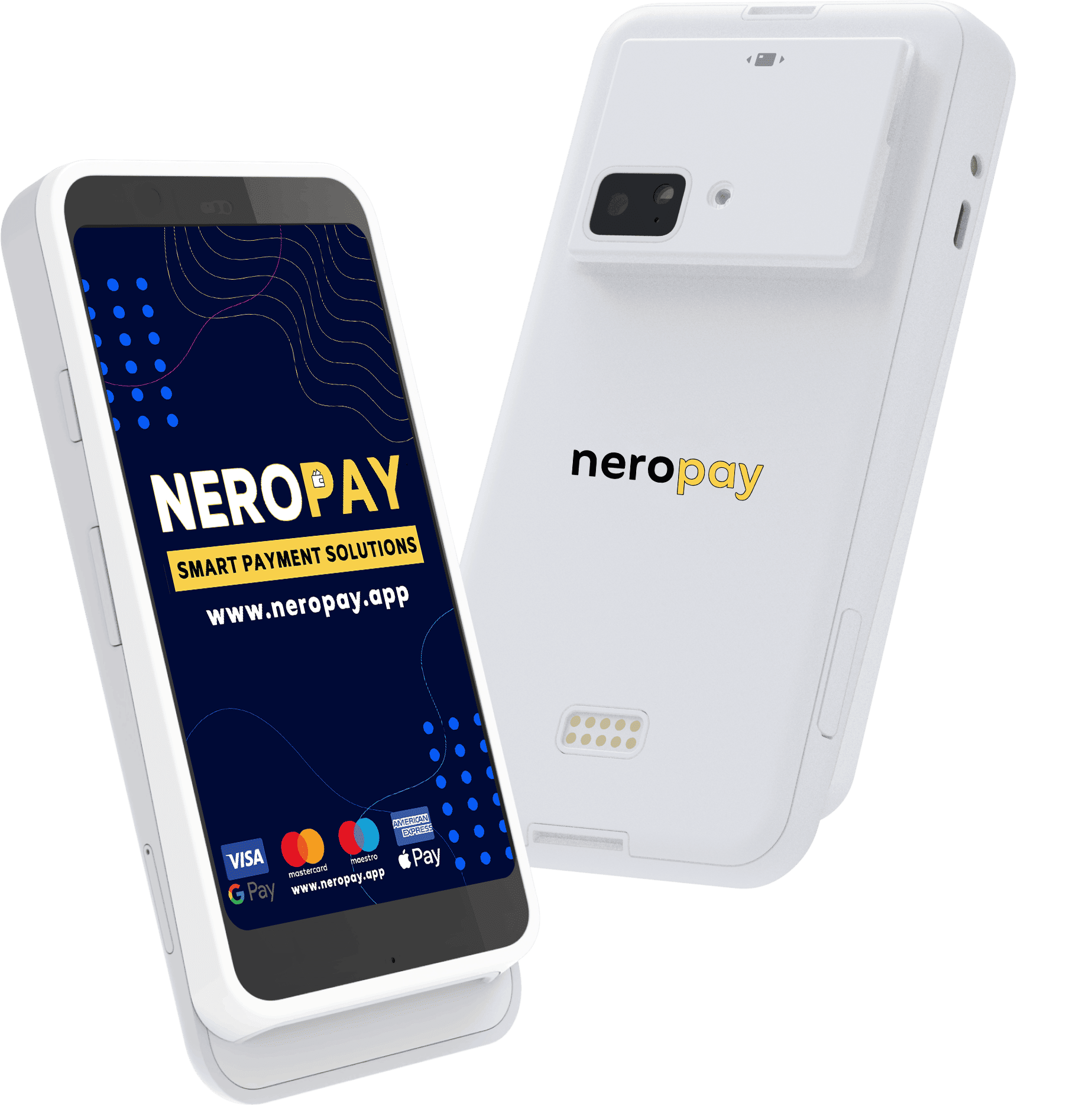
Kart Terminali PRO+
Dükkanlar, konaklama ve servis ekipleri için özel olarak tasarlanmış Android kart terminali; net, müşteri dostu bir ödeme ekranı sunar.
NeroPay Mağaza'da mevcut konfigürasyonları ve ödeme seçeneklerini keşfedin.
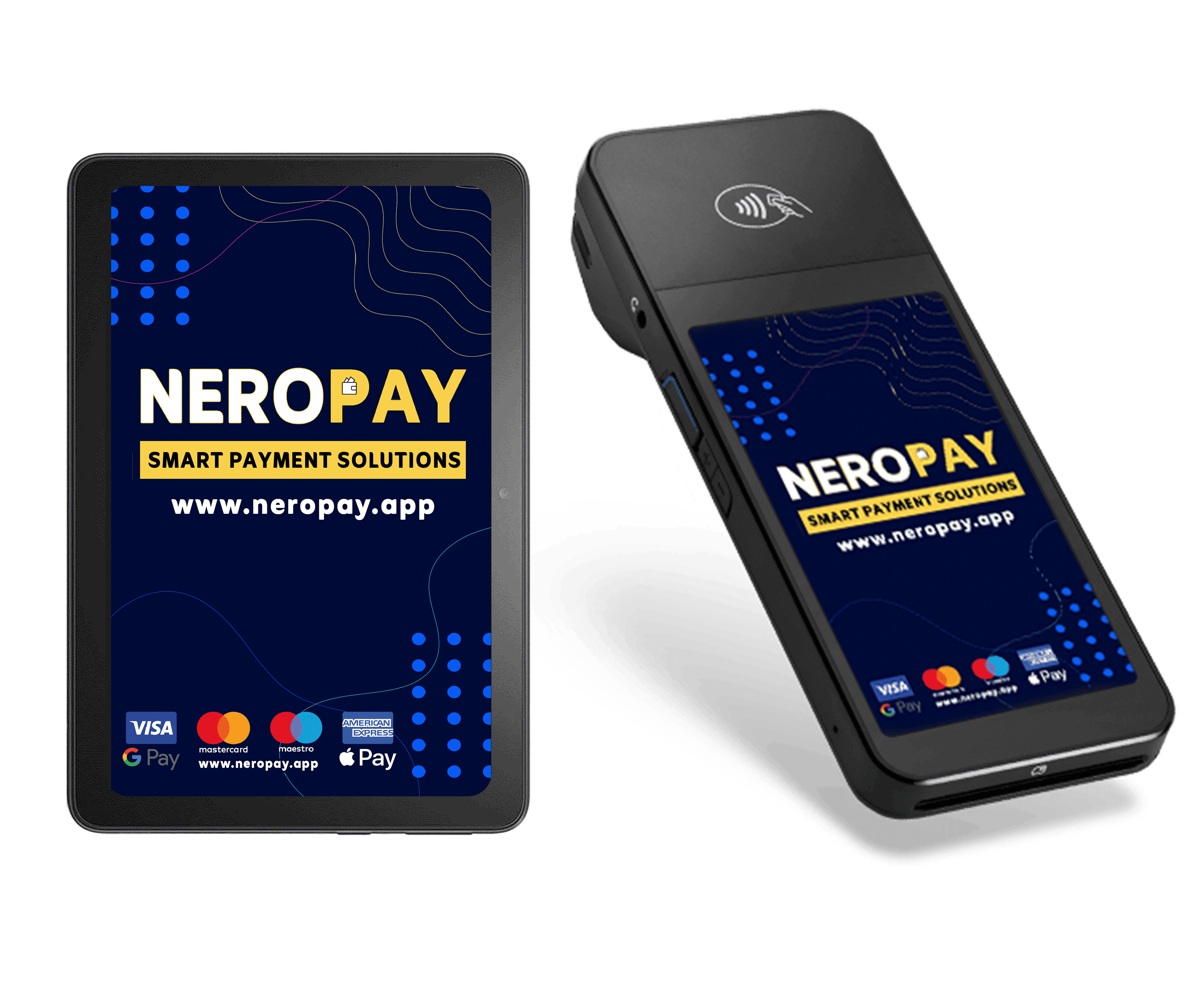
Kart Terminali CCD
Tezgahınız için özel ödeme cihazı, daha geniş mağaza içi kurulum için isteğe bağlı tablet ile.
Gösterilen tablet isteğe bağlıdır ve ayrı satılır. Kurulumunuzu mağazada seçin.
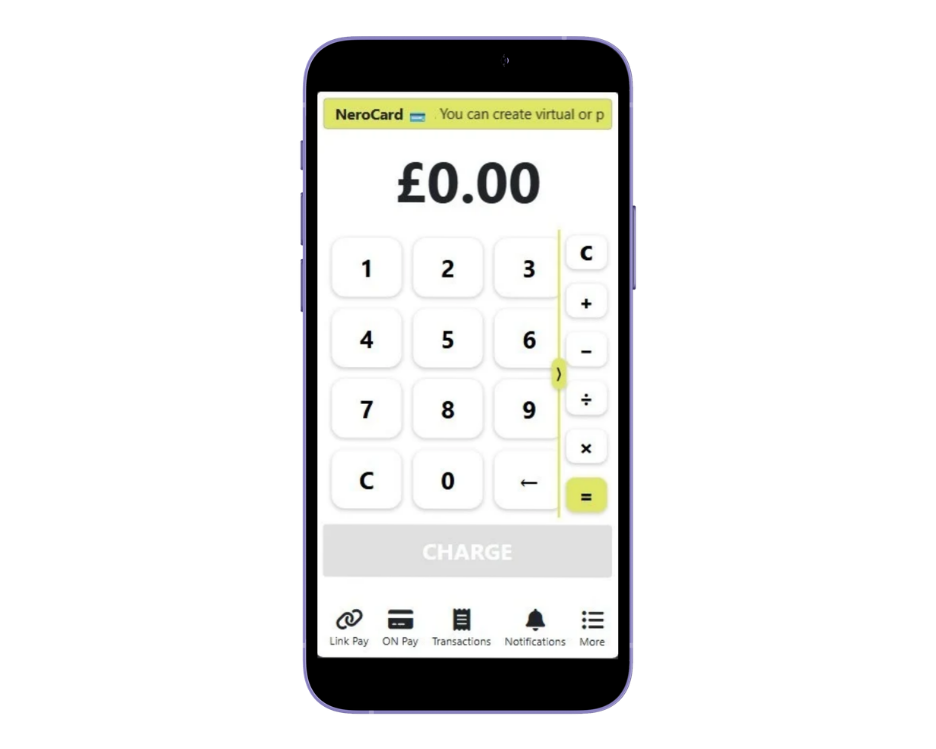
Telefonda Temassız Ödeme
Uyumlu bir telefon kullanarak temassız kart ve cüzdan ödemeleri alın. Mobil hizmetler, açılır satışlar ve küçük ekipler için faydalıdır.
Desteklenen cihaz ve hesap gereklidir. İşlem ücretleri uygulanır.
İşinize uygun ödeme seçeneğini seçin. NeroPay Mağaza'da peşin ödeme ve seçilmiş ödeme planı seçeneklerini keşfedin. Sipariş toplamınız, teslimat ücretleri ve ödeme planı ödeme sırasında onaylanır.
NeroPay ödeme ve iş araçlarını keşfedin.
Dikkati koruyun
müşterinizde.
Ödeme kurulumunuz, öğle yemeği sırasını yönetirken, saç kesimini tamamlarken veya masayı kapatırken çalıştığınız şekilde desteklemelidir.
- Alışılmış ödeme yöntemleri. Desteklenen kartları ve mobil cüzdanları kabul edin.
- İhtiyacınıza uygun donanım. Elle taşınan terminal, tezgah kurulumu veya uyumlu Temassız Ödeme seçeneklerinden birini seçin.
- Bağlı günlük raporlama. Ticari hesabınızdan ödeme faaliyetlerini inceleyin.
- Büyümek için alan. İşletmeniz ihtiyaç duydukça POS, online sipariş ve rezervasyon araçları ekleyin.
Tek platform.
Farklı çalışma günleri.
Kullanışlı bir kurulum; alanınız, ekibiniz ve müşterilerin ödeme şekliyle başlar.
Restoranlar kafeler
Ödemeyi masaya getirin veya tezgahın akışını koruyun. Kurulumunuzu NeroPOS, online sipariş ve mutfak ekranlarıyla bağlayın.
Dükkanlar perakende
Adanmış bir kart terminali, POS donanımı ve uyumlu tarayıcılar, yazıcılar ve para çekmeceleri ile net bir ödeme alanı oluşturun.
Güzellik hizmetler
Randevu sonunda ödeme alın ve rezervasyonlarınızı işletmenizle birlikte yönetin. Tezgah dışındayken uyumlu mobil seçenekleri kullanın.
İşletmenizi yürütmek için araçlar.
Bir yazılım faturası daha değil.
Ödemeleri ücretsiz NeroPOS, NeroWeb ve NeroBooking yazılımlarla bağlayın. Donanım ve ödeme işlemleri ayrı şekilde ücretlendirilir.
NeroPOS
Ürünler, masalar, personel erişimi, makbuzlar ve günlük raporlar. Tezgahtaki temel ihtiyaçları tek bir bağlantılı satış noktasında birleştirin.
NeroPOS’u keşfedin →NeroWeb
Müşterilere işletmenizden doğrudan sipariş vermeleri için bir yol sunun. Teslim alma veya teslimat için çevrimiçi sipariş sitesi oluşturun.
Keşfedin NeroWeb →NeroBooking
Konaklama, güzellik ve hizmet işletmeleriniz için ödeme kurulumunuzla rezervasyonlar ve randevuları düzenleyin.
Keşfedin NeroBooking →Hazırlanın
a
Donanımınızı seçin, hesap kontrollerinizi tamamlayın ve ödemeleri almadan önce okuyucunuzun kayıtlı olduğundan emin olun.
Kurulumunuzu seçin
Terminalinizi sipariş edin veya ekibimize mekanınız ve ödeme ihtiyaçlarınız için hangi cihazın uygun olduğunu sorun.
Doğrulamayı tamamlama
Ticari hesabınızı oluşturun ve istenen işletme bilgilerini ve belgeleri sağlayın.
Okuyucunuzu kaydedin
Cihazınızı bağlayın ve NeroPay hesabınızdaki okuyucu kurulum talimatlarını izleyin.
Ödemeleri almaya başlayın
Kurulumunuzun hazır olduğunu kontrol edin, ekibinize ödeme akışını gösterin ve işlemlerinizi kontrol panelinde inceleyin.
Doğru uyumu
bulalım.
Yazdırılmış makbuz lazım mı, taşınabilir bir cihaz mı yoksa tam tezgah kurulumu mu? İşletmenizin ihtiyaçlarını bize bildirin.
Ekibimize sorun →Hangi NeroPay terminali makbuz yazdırabilir?
NeroPay Flex, üstünde yerleşik bir makbuz yazıcısına sahiptir, böylece taşınabilir cihazdan müşteriye yazdırılmış makbuz sunabilirsiniz. Diğer kurulumlar ayrı uyumlu makbuz yazıcıları kullanabilir.
Apple Pay ve Google Pay kabul edebilir miyim?
Evet. Uyumluluk sağlayan NeroPay terminaller, desteklenen temassız cüzdan ödemelerini, Apple Pay ve Google Pay dahil olmak üzere, desteklenen debit ve kredi kartları ile birlikte kabul eder.
NeroPay Flex'in mobil bağlantısı var mı?
NeroPay Flex, Wi-Fi, Ethernet, 4G Hücresel ve Bluetooth bağlantılarını destekler. Kullanılabilir bağlantılar, cihaz kurulumuna, gereken aksesuar ve ağ kapsamına bağlıdır.
Terminali kaydettirmeden kullanabilir miyim?
Hayır. Satıcı hesabınız ödemeleri almaya hazır olmalı ve okuyucu doğru NeroPay hesabına kayıtlı ve bağlı olmalıdır. Bir işlem yapmadan önce kurulum kılavuzunu izleyin.
Ödemeleri bir POS sistemine bağlayabilir miyim?
NeroPay, NeroPOS ve entegrasyon seçenekleri sunar. Uyumluluk POS sistemi ve bağlantı yöntemine bağlıdır, bu yüzden donanım almadan önce ekibimizle kurulumunuzu kontrol edin.
Ödemelerimi ne kadar sürede alırım?
Mevcut ödeme seçenekleri ve taksit süreleri, satıcı hesabınıza, doğrulama durumunuza ve ödeme faaliyetlerinize bağlıdır. Hesabınızda gösterilen seçenekleri inceleyin; bireysel ödemeler ayrıca kontrole tabidir.
Ayrı bir terminal almam gerekiyor mu?
Her zaman değil. Tap to Pay, uygun satıcıların desteklenen telefonlarda temassız ödemeleri kabul etmesini sağlar. Bu seçeneği tercih etmeden önce cihaz ve hesap uyumunuzu kontrol edin.
Terminal Max ve hizmetiniz
Terminal Max sayaçta kendi kendine sipariş için kullanılabilir mi?
Evet. Desteklenen kendi kendine sipariş kurulumu etkinleştirildiğinde, müşteriler menüyü inceleyebilir, sipariş verebilir ve sayaçta ödeme yapabilir. Kullanımdan önce mekanınız için sipariş ve ödeme seçeneklerini yapılandırın.
Terminal Max masada veya kasada NeroPOS olarak kullanılabilir mi?
Terminal Max masada sipariş ve ödeme için desteklenebilir veya kasada NeroPOS kasası olarak kullanılabilir. Mevcut modlar, işiniz için etkinleştirilen uygulamalara, hesap özelliklerine ve kurulumlara bağlıdır.
Flex ile Terminal Max arasındaki fark nedir?
Flex, elde taşınabilen 5.5 inç dokunmatik ekran ve dahili makbuz yazıcısı sunar. Terminal Max ise daha geniş bir 8 inç ekran ile daha büyük NeroPOS, müşteri odaklı veya kendi kendine sipariş deneyimi sağlar. Güncel donanım seçeneklerini NeroPay Mağazası'nda kontrol edin.
Kart terminalini bulun
işletmenizin hak ettiği.
NeroPay Flex, PRO+, CCD ve bağlı sayaç kurulumlarını keşfedin. Cihazınızı seçin ve mağazada siparişinizi tamamlayın.